 DupeSafe
Exact duplicates
Files with the same size and full content hash. Before deletion each one is compared byte by byte with the copy that stays; name, date and folder are never a reason to delete.
DupeSafe is an offline duplicate finder and data recovery tool for Windows and Mac. No file is deleted without verification, and no data ever leaves your computer.
Windows 8, 10 and 11 · Mac (Apple silicon and Intel) · Portable edition needs no installation
What it finds, how it protects
Perceptual matching on the finding side, verification at every step on the deleting side.
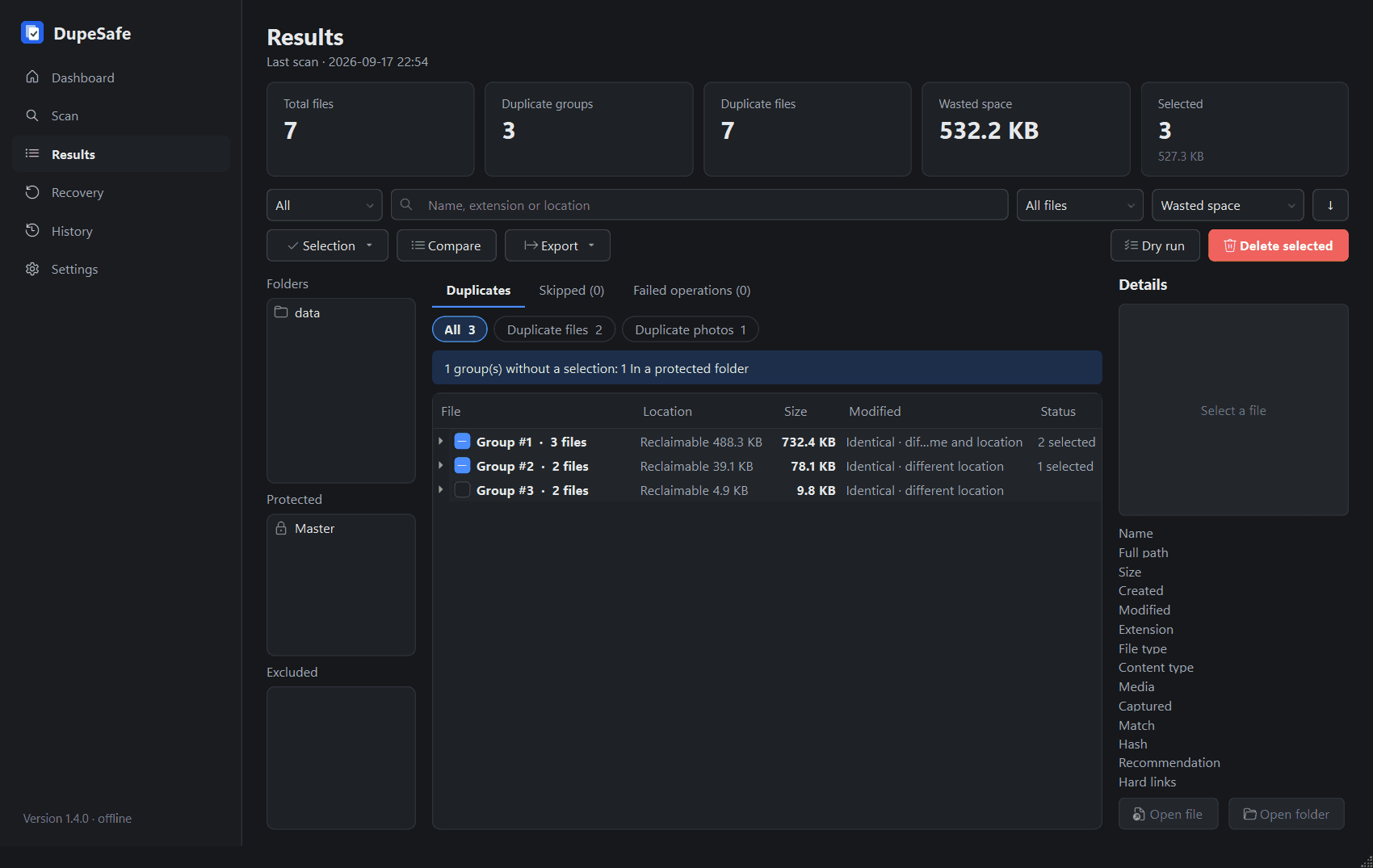
Files with the same size and full content hash. Before deletion each one is compared byte by byte with the copy that stays; name, date and folder are never a reason to delete.
Pictures, videos, documents or all files of a folder: checks whether what you pick has copies anywhere, even under other names, resized pictures included. On Windows a right-click in Explorer is enough.
Re-encoded, resized, cropped or rotated copies and songs with the same audio but different tags are found; burst shots are grouped separately and the sharpest shot is marked. These groups are never selected automatically.
Folders whose every file has an exact twin are shown as a single group.
At least one copy stays in every group. Files go to the Recycle Bin (the Trash on a Mac) or to a folder you choose, and come back with Undo or from History. System and protected folders cannot be selected.
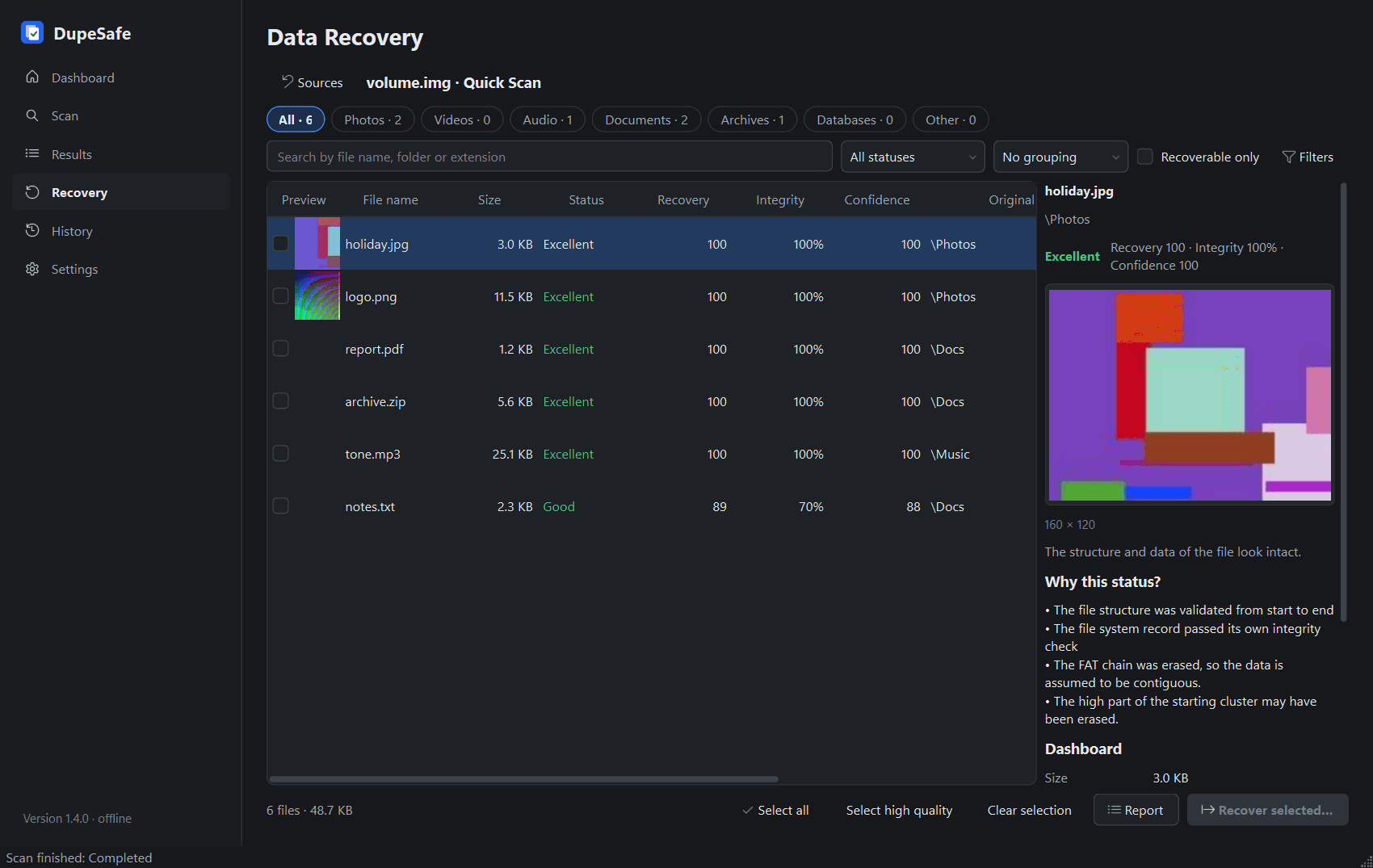
Deleted files from NTFS, FAT and exFAT by name; 38 formats by signature. The source is opened read-only and no result is invented.
Three steps
Add your photo, document and download folders. Nothing is changed during a scan.
Groups, the kept copy and the reason side by side. Groups without a selection are explained.
The confirmation screen lists every file to be removed and the copy that stays. Removed files can be restored.
Data recovery
Recovers from a volume, a physical disk or a disk image. Quick Scan reads file system records; Deep Scan searches free space for file signatures. Every candidate passes structure, size, format and integrity checks; a file with no data left on disk is reported as "Unrecoverable".
Privacy
The application uses no cloud, AI or remote analysis service.
Scanning, deleting and recovery need no internet.
No ads, analytics or usage data.
Only the version number is sent to look for a new version.
Only if you connect it, and only through Google's own APIs.
Price
No trial period, no license key, no ads. Every feature and every update, for everyone.
If DupeSafe helped you, you can buy us a coffee. You choose the amount; payment is handled by Stripe and your card details never reach us.
Installer or portable edition; no card, account or key.
Every feature unlocked from the start, with no time limit.
Support its development with "Buy us a coffee".